Showing posts with label Reward System. Show all posts

Saturday, August 11, 2018

Getting Posters Ready for Back to School

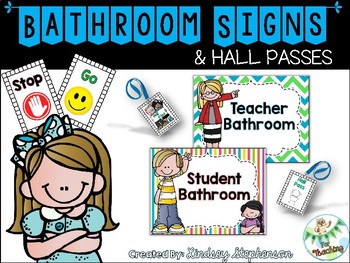
Wanted to help a colleague and made posters to help differentiate between the student and staff restroom outside of her classroom door. Labeling is now a passion of mine, although that may be odd!


Grab these bathroom posters by clicking {here}or the picture above.

Then I updated my reward system chart and prize coupons for the new teacher on my team. I wanted her to have everything ready to print so she can implement successful classroom management techniques in her classroom. I use ClassDojo and it is fabulous!

Check out these PBS behavior coupons and the template used to separate the rewards. I included a blank template as well, in case you want to add your own rewards.

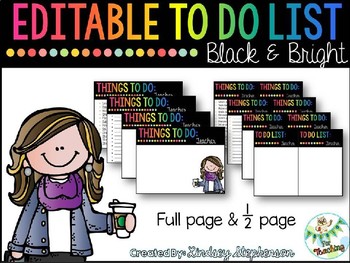
You may also like my new Editable To Do List. It's way better than having massive piles of sticky notes all over your desk or a grocery list that you lost at the bottom of your purse.

You can open this on PowerPoint and edit it to your liking. Grab it {here} or click the picture below!


Friday, December 22, 2017

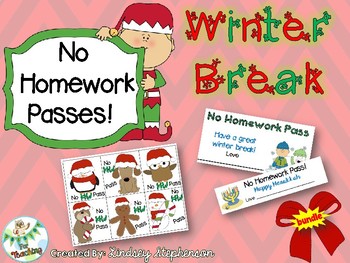
No HW pass for the holidays!

Looking for a fun holiday gift for your students? Grab this NO HOMEWORK pass bundle for your class on TpT! They will love this and it has a variety of options.


Sunday, April 3, 2016

#Wise Words Quote of the Week


Feeling inspired by another creative soul, like myself, Miss 5th. She has a neat Keep the Quote idea but I have modified it to fit my classroom. So I am doing a weekly quote: #Wise Words!


Passion For Teaching on Twitter
https://twitter.com/ms_lstephenson
This year my school is really trying to get teachers and parents involved in TWITTER. Posting pictures, videos, ideas etc. of what is going on in the classroom. I want to post pictures each week of my wise words! It will be a quote written by someone and then the students hand in to me. I will choose 1 quote to write out and for 5 days (Monday - Friday) they get to see who is demonstrating those wise words. We choose together who will get to keep the quote, while I post on twitter! Each week I will choose a quote from the students and write it. This process will repeat so it builds a positive classroom community, self-confidence, and a special bond between the students. My hope is to keep them motivated and inspired to learn each day!

How I use #WISE WORDS in the classroom!

  1. Tell your students to think of (or look up at home) a QUOTE that means something to them or gives a positive, motivating message.
  2. Have them write it down on a slip of paper and place it in a quote jar, basket, etc... this way you have all the quotes you need for a few months. They can always put in more than one quote if they find a couple they love!
  3. You (the teacher) will then select a quote to write in fancy lettering. Tell them that the student who exemplifies the quote or shows the quote the most during the week can keep the quote. They can actually get to take it home with pride.
  4. Here's the part that can be time consuming; once you pick the quote, you have to actually WRITE or DRAW IT! Since I love different handwriting ideas and drawing, I will add my own artistic touches instead of just writing it in the handwriting the students see every day. This really excites them!
  5. You could choose their quote on Friday's for the next week. So you have to write the quote on a piece of chart paper and then it's ready for the week ahead. Then on Friday, at the end of the week, the class votes on who is demonstrating those wise words! That student will take the quote.
  6. You can do this so each student gets the opportunity to demonstrate the wise words. That way, every student can "keep the quote" and feel good about themselves!
See Miss 5th's Instagram for how she does this. I was inspired by her keep the quote idea but changed it for my class to integrate the #hashtag for my school's Twitter kick and the name Wise Words because my classroom theme is OWLS! Get it, "wise" words! :)

Since it is something brand new for my class, I will be choosing the first quote. That way, when the students arrive on Monday, the quote will be hanging up for them to see. Then I can introduce it by explaining how they get to keep the quote at the end of the week. I will also say why I chose that quote, so it means something to them. But the whole point is for the students to take ownership on what quotes are meaningful and touches their hearts. I can't wait to post more pictures once I set this up I my classroom!

Here is the first quote I'm doing, "Be somebody who makes everybody feel like a somebody." By: Kid President 
 

@PassionForTeaching

Remember to check out my Instagram and Twitter pages to see how I use Wise Words in my classroom! Hope you feel inspired to build your classroom community!

*Please link back and post pictures of your #WiseWords to let me know how it goes for you!

Sunday, April 26, 2015

Classroom Management

I wanted to create a classroom environment where my students are excited and ready to learn. Here are a few things I have implemented in my classroom:

1. Class Dojo
Benefits:
  • Has a built in TIMER for those times you want to use one in your lesson or keep them on task for a specific amount of time. (I use it as part of my morning routine)
  • Keeps the students engaged by MONITORING BEHAVIOR. Sounds will go off for positive and negative points.
  • Tracks behavior DATA to show the parents during those fun parent teacher conferences or student meetings.
  • EASY TO USE! Even if you are not a technology guru, you can use this website! It is a stress-free reward system so you won't have to write down who was good/bad that day.
  • APP for mobile devices. (I walk with my phone in the hallways and award points for specific students in line. Or I control it if I am away from my computer.)
How I Use Class Dojo:
I've found this is the best way to keep my students engaged! It is FREE to create an account and easy to use. First, you set up a class by making a list of your students. I did this for my "homeroom" students. It will give you a code to print out so the students can update their avatar on the screen. You can also print out parent codes/letters for them to stay connected with their child's behavior that day in class. Since my school departmentalizes for math and science, I have shared my class with the math teacher (and visa versa). This allows me to add or take away points for any student I teach at any time of the day. The best part is when you want to randomly select a student to see if they are on task. They hear a timer and it selects a name. If they are on task it gives them a positive point *DING or a negative point *BONG if they are off task. It always makes the class go super quiet so they are listening for the positive sound! Sometimes I choose to keep the screen hidden so they don't see who is awarded the points. But it is also nice for them to see how many points they have earned that day/week. The great thing about this is it calculates the total points for EVERY student. This way I can keep track of what students have a certain amount of points.


Why would my students WANT to earn points? At the end of the week/month (it depends) I allow them to spend or save their points. If they save their points, they know they will get to "buy" awesome prizes at the end of the quarter. If they choose to spend their points, I have a treasure chest (read below) labeled 25, 50, 75, and 100 points. They get to look at the rewards chart and choose if they want to earn a prize from the bin or save their points. They know the more points they have, the better the rewards they can get. This keeps my class focused and working hard!

2. Treasure Chest

Benefits:
  • Rewards good behavior!
  • Keeps my students excited about learning!
  • Easy to manage! (depending on how you want to use for your class)
How I Use My Treasure Chest:


I created labels for my 4-drawer organizer to separate the points. The higher the points the better the rewards! I started by finding a few things from the dollar store or target "dollar section" and placed them in the bin. I also have decided to let it gradually run low so I don't have to replace anything. I use a chart to let the students decide how they want to spend their points. If you don't want to buy items to put in a treasure box then you might like the chart I use:

Or you can use this idea and roll with it. Check out my TPT store for a template you might like.

3. Table Group Points
Benefits:

  • Gives cooperative learning a chance to thrive.
  • Instead of individual students being praised, it gives the WHOLE group a point.
  • Easy to keep track of!
How I Use Table Points:
I like to award my groups for working together. I created a template that I laminated (or put in a sheet protector) and posted it on the whiteboard. It is a way to TALLY points for each group I have in the classroom. For example: If all the groups are ready with materials everyone gets a point. If one group was talking instead of taking out their materials, no point. The group with the highest amount of points gets a special reward. It could be: come in for lunch with the teacher, first to get to the treasure box, etc. That all depends on what you think would be an appropriate reward. I have usually done the lunch with teacher every other week. It is such a motivating reward because they students LOVE to come in for lunch and watch kidsnippets videos or listen to music while they eat their lunch.

You can customize this to fit your needs. But it really is simple and works great! Grab this FREE printable from my TPT store and enjoy!

More photos coming soon!